Archive for the ‘General’ Category

Current Plans: Non-Scrolling Area

Wednesday, November 5th, 2008

Another feature we are now working on is support for the non-scrolling area. The non-scrolling area is a view mode which is supported by HTML Help. It usually includes the topic title and any other quick information or links which are not scrolled together with the topic body. This is really useful for electronic help systems or e-books.

Unlike other help authoring tools which use a separate editor control on the top of the topic to imitate the non-scrolling area in design-time, HelpSmith will have native support for that possibility. It will look and work much better as the user will be able to set/unset the non-scrolling area easily by selecting a part of text and clicking a button on the toolbar (absolutely the same way as when you want to make the text bold or italic, for example).

Current Plans: Templates and Variables

Wednesday, November 5th, 2008

With the release of HelpSmith 2.x we continue to receive positive feedback on the product from our customers and are currently working on the implementation of new features. The next significant enhancements will be support for Templates and Variables.

With Templates, you will be able to create and change the layout of all or a series of topics at once. A template will work like a regular help topic which can be edited by the HelpSmith’s word processor. But a template does not contain actual topic content. Instead, it contains variables playing the role of placeholders for the topic title, topic content, etc. The basic idea consists in that you can create templates and set any template to be used for all the topics of your help project, or set a template to be used for a series of help topics.

In addition, we are going to provide the possibility to use different templates for different output help formats. For example, if you create CHM and Web Help systems from the same source project, templates will allow you to make different design and layout for the help topics according to the style of the specific help format.

Create Adobe PDF and Word RTF Documents

Sunday, September 21st, 2008

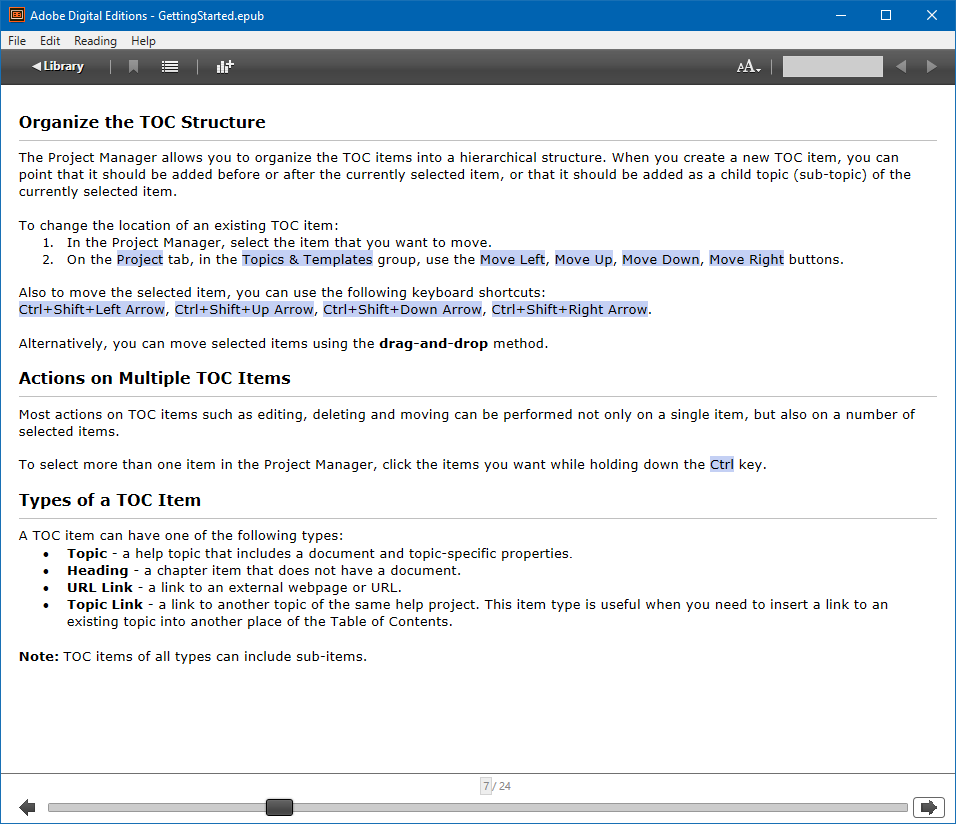
“As a topic-based help authoring tool with great features such as dynamic styles, HelpSmith is also useful in creation of Adobe PDF (Portable Document Format) documents or Microsoft Word RTF documents…”

From a new article on the HelpSmith’s website, explaining how you can use your help authoring tool to supply documentation in Adobe PDF and/or Microsoft Word formats.

Read more…

HelpSmith 2.0 released

Friday, August 29th, 2008

So we are pleased to annouce the release of HelpSmith 2.0. It took us some extra time to test out and prepare the final build in fact. However, now I can say that everything works just fine. Working on a help file with the brand new Dynamic Styles feature is nice. I think the users who have already purchased the latest version (or upgraded from an earlier HelpSmith version) will agree with me.

There are other improvements as well. We have finally completed the Search functionality for the Web Help format, so a WebHelp system now works in a regular browser program the way as if it were a compiled CHM file and you can now consider Web Help as an alternative help format to CHM when the latest one cannot be accessed via network, for example. Or, simply refer to this article explaining how you can solve those known CHM-related issues.

HelpSmith 2.0 includes a series of minor bug fixes and improvements to the built-in word processor, user interface, and so on. Now you can also export the generated Printed Manual into your preferred word processor (a feature requested by some users) if you need so for any reason. Though, of course, it can be printed out from HelpSmith directly.

Read more about HelpSmith 2.0 at the article by R.Richardson “Help Authoring on Steroids“.

Dynamic Styles

Wednesday, June 25th, 2008

One of the most frequently requested features is the system of dynamic styles and we actually understand how such a tool can simplify working with fonts, paragraph settings, and with bulleted or numbered lists as well. Moreover, having a full-featured style system, it takes only minutes to reformat the entire help project without the necessity to make lots of changes in every help topic.

In fact, HelpSmith’s word processor was originally designed as a style-based editor, but the user interface for that functionality was not implemented. Then, however, we decided to reconsider the existing (internal) style model and redesigned it in order to provide more possibilities. Now after quite a long period of time spent on rewriting the code and integrating it with the HelpSmith’s core, we are in the process of testing the new dynamic style system.

The HelpSmith’s dynamic styles will let you create styles of different types: text styles, paragraph styles, and list styles. Also, you will be able to create sub-styles which can have the same attributes as their base style, but override that or another property such as the font color, paragraph alignment, etc. There will be a set of reserved styles similar to the one that you can meet in Microsoft Word, for example.

Another great benefit of HelpSmith’s dynamic styles is that it will allow you to redefine how a style should look in different output help formats. That is you can create a style and set alternative views for HTML Help, Web Help, or Printed Manual.

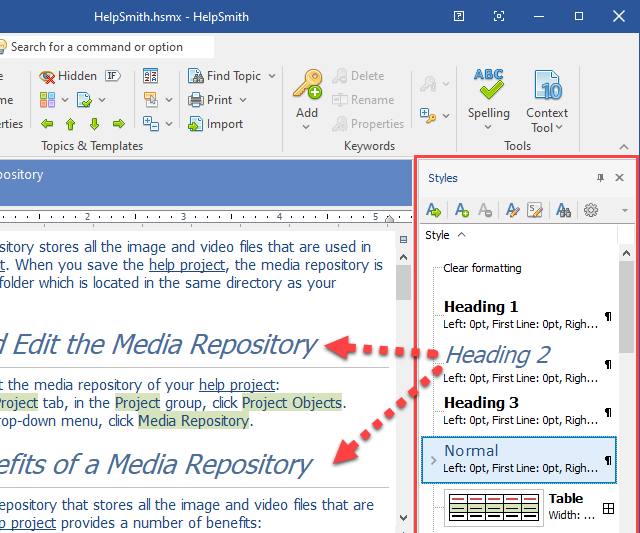
We tried to make the user interface as easy as all the rest things are in HelpSmith. The main tool to operate with styles is the style tree representing the style hierarchy which you can see on the screenshot. So when you are working on a help project, you can visually see how a style looks, apply it to the selected text, or edit it via the dialog-box.

Also, we always try to provide complete backward compatibility and the new version of HelpSmith introducing dynamic styles will open your existing .HSM projects with no problem. Moreover, all the font, paragraph and other settings that you had to apply manually will be represented in the style tree, so you will not have to remake anything.

As it was mentioned above, the dynamic style system is under construction so far, but we are going to release this important feature as soon as everything is completely done and tested out.

HelpSmith – Future Plans

Saturday, May 3rd, 2008

Since the initial release with a single help format supported, HelpSmith has become a multi-format help authoring tool with support of HTML Help (.CHM), Printed Manuals, and Web Help that can be generated from the same source help project.

In our plans for the future releases is to make HelpSmith more flexible by adding such tools as dynamic styles, variables and templates. Many of those features are already under development and will be available in the next HelpSmith updates as soon as possible.

If you have any wishes for future HelpSmith versions, please do not hesitate to contact our support team. Your feedback is highly appreciated and will help us make our software product even better.

New Features of HelpSmith 1.5.2

Saturday, May 3rd, 2008

Apart from the significant features such as the Web Help format (described in a previous post), we’ve also added a number of other useful tools that have been introduced with HelpSmith 1.5.1 and HelpSmith 1.5.2 recently.

Automatic export of topic Context numbers
If you are a C++, Delphi, or Visual Basic developer, you will find it useful to be able to automatically generate the header file with Context numbers from your HelpSmith help project. The header file includes associations of the topic’s textual identifiers (IDs) and numeric identifiers (Context) which are usually used by developers to provide context-sensitive Help via standard HTML Help API calls.
The new possibility is available via the menu command “Tools|Export Context Numbers”.

The ability to sort the table of contents
With HelpSmith 1.5.2, we’ve also added the feature allowing you to sort the whole or a selected part of the table of contents. Unlike dynamic sorting of the topic list that you can apply at any time for your convenience, this feature specifies how the table of contents’ items will appear in the final help system.

An alternative way to edit keyword references
The common way to edit the alphabetical Index in HelpSmith consists in adding keywords and associating them with the currently selected topic. However, that is not always convenient when you want to just modify topic references for an existing keyword item. With HelpSmith 1.5.1, we added such a possibility, so you can simply select the required keyword item and then edit its topic references in a special dialog-box.

Drag-and-drop support
Now you can move topics, items of the table of contents, and keyword items by the drag-and-drop method. I think this ability is a great improvement as well making the HelpSmith’s easy-to-use environment even easier.

Introducing Web Help

Saturday, May 3rd, 2008

Based on the feedback we receive from our users, we’re constantly working on improving HelpSmith. Thus, HelpSmith 1.5 released a while ago introduced support for a new help format, Web Help.

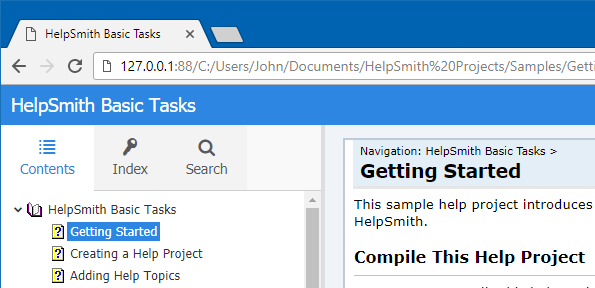
Web Help (or browser-based Help) allows you to easily export your help projects into a set of .HTML files that can then be published on your web server or put into a shared folder of your local network. This makes it possible for other people to access the help system via a regular browser program like Microsoft Internet Explorer, Mozilla Firefox, Opera, Apple Safari, and so on.

A Web Help system generated with HelpSmith includes a table of contents and a keyword index, making such a help system as easily navigated as a regular HTML Help (.CHM) file in a desktop application.

With HelpSmith, you can also modify the default Web Help layout by applying custom fonts, colors, text labels, and other settings according to your own needs.

As usually, we tried to make all the process of creating a help system the easiest possible way. So all you need to do to export your help project into Web Help is just to click the “Create Web Help” command on the project menu or the appropriate button on the toolbar.

HelpSmith 1.4 is released

Thursday, March 13th, 2008

We are pleased to announce the release of HelpSmith 1.4. The list of new features/improvements includes:

Support for HTML Help windows.

Now you can modify settings for the main HTML Help window and also create secondary ones with alternative size, position, or other options. HTML Help allows you to display any help topic in a secondary help window when it is called by a hyperlink or by selecting it in the table of contents.

You can easily customize the primary main window of your HTML Help system. So you can set a custom position and size for the window, setup the navigation pane by enabling the advanced mode for the Search tab, or adding the Favorites tab. Also, you can specify which buttons should be used on the help window’s toolbar, and even add your own custom buttons.

Added support for video files.

Another new feature introduced with HelpSmith 1.4 is support for video files. Now you can easily insert .AVI files into the text of help topics. Working with video files in HelpSmith is similar to working with graphical files. Simply click “Movie from File” on the “Insert” menu to insert a movie and HelpSmith will automatically put it into the project’s media repository. Thus, you don’t have to worry about copying anything into the folder with your help project, and so on. Moreover, the single repository allows you to replace/update the inserted movie by another media file at any time. That is especially useful if the movie is used in multiple help topics since you don’t have to delete and insert it again into each help topic.

Improved HTML engine.

With HelpSmith 1.4, we introduce an improved internal HTML engine used for exporting help topics into HTML when you create a CHM file or simply export an individul help topic into the .HTML format. Besides a couple of new options related to HTML export, the given feature is an important step for us towards adding the third Web Help format which is currently under development.

New features for working with the project’s media repository.

The main idea of the project’s media repository in HelpSmith is that it eliminates the actions you would have to do in other help authoring tools while working with graphical or video files. With HelpSmith, you do not have to copy the media files into the same folder with your help project, also you may not convert the bitmaps or metafiles which you insert from a file or from the Windows Clipboard into a more optimal graphical format like .PNG, .GIF, or .JPEG because HelpSmith can perform all of those for you.

With HelpSmith 1.4, we’ve added new Clipboard-related commands, enabling copy/paste operations directly in the media repository editor. Moreover, we’ve added the replace feature, making it possible for you to easily update screenshots or movies by replacing them with an alternative media from file or from the Windows Clipboard.

Help project saving now works much faster.

Unlike previous HelpSmith versions, we’ve achieved a great speed of saving the whole help project due to code optimization. The tests show that it now takes less than a second on an average help project with one hundred or more help topics to save it.

As mentioned in the previous post, HelpSmith 1.4 is a more stable version. We’ve fixed a set of minor or more critical problems, many of which were reported by HelpSmith users.

If you are using a previous HelpSmith version, we recommend upgrading to the latest HelpSmith 1.4. To do so, simply download the new release from our web site at http://www.helpsmith.com/download.php, and then install the new HelpSmith version without uninstalling the previous one.

HelpSmith 1.4 is Coming Soon

Monday, February 11th, 2008

We’ve been working hard on a new version of our HelpSmith product. This important update will have support for video files, improved repository for the project’s media. Also, it will include fixes of different minor problems reported by our users. HelpSmith 1.4 is to be a more stable and faster version due to some new techniques we’re using.

At the same time, we’ve been working on a new help format known as browser-based help (or Web Help). The given format will allow you to place the whole help system to your Internet web server or just to make it available through a local network. Such an online help system has a set of benefits that I will describe in one of the future posts. The Web Help format is planned to be available in the next HelpSmith update after the version 1.4 is released.